Check HW3 vs HW4
From Inside the Car
If you have access to the vehicle's touchscreen, its computer label is the most reliable way to identify the installed hardware.
Software Tab (Easiest Method)
The Software tab shows the computer type directly. This is the quickest and most reliable in-car method.
How to Access:
- Tap the car icon in the bottom-left corner of the screen
- Tap Software in the menu
- Look for the Computer field
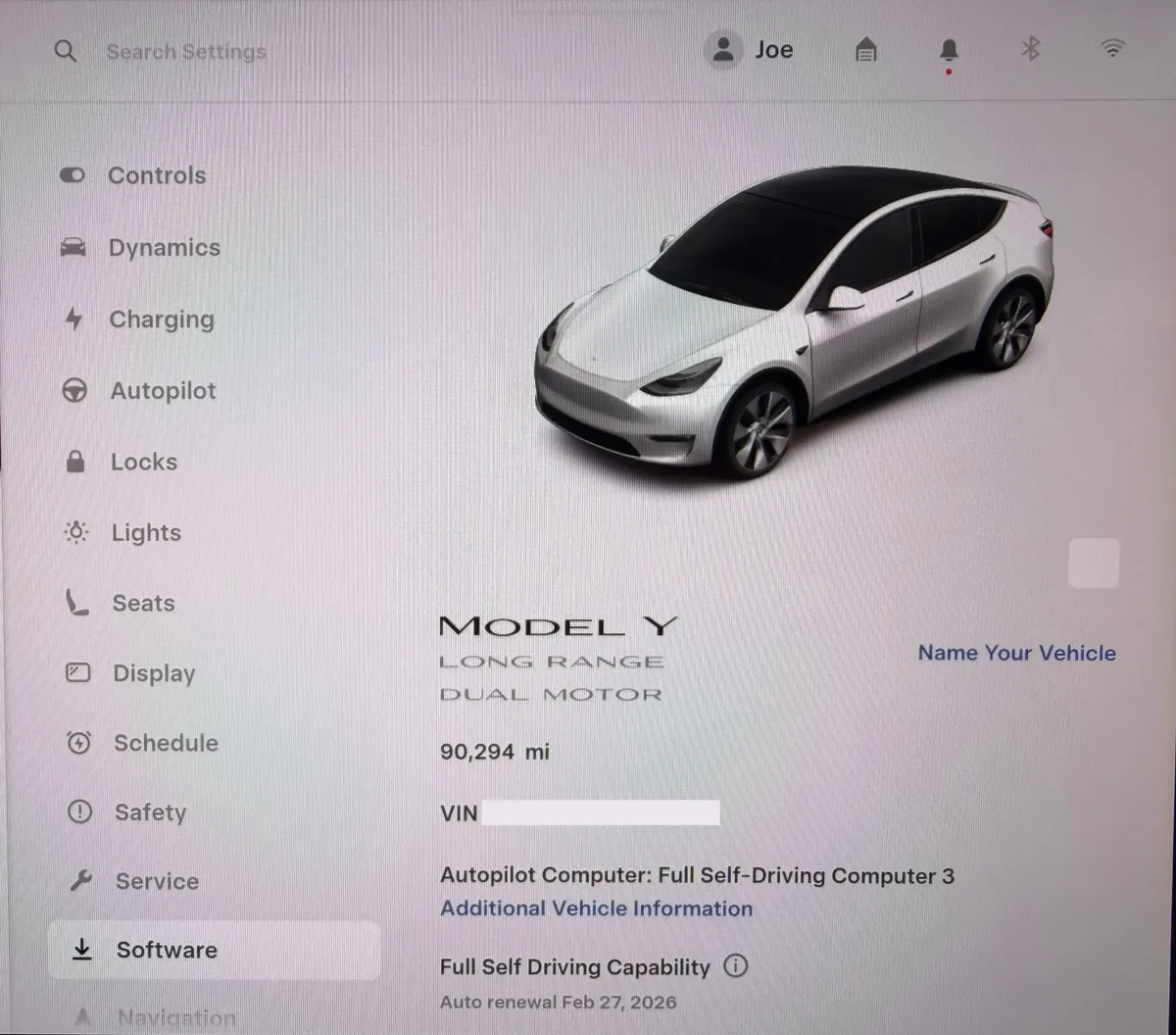
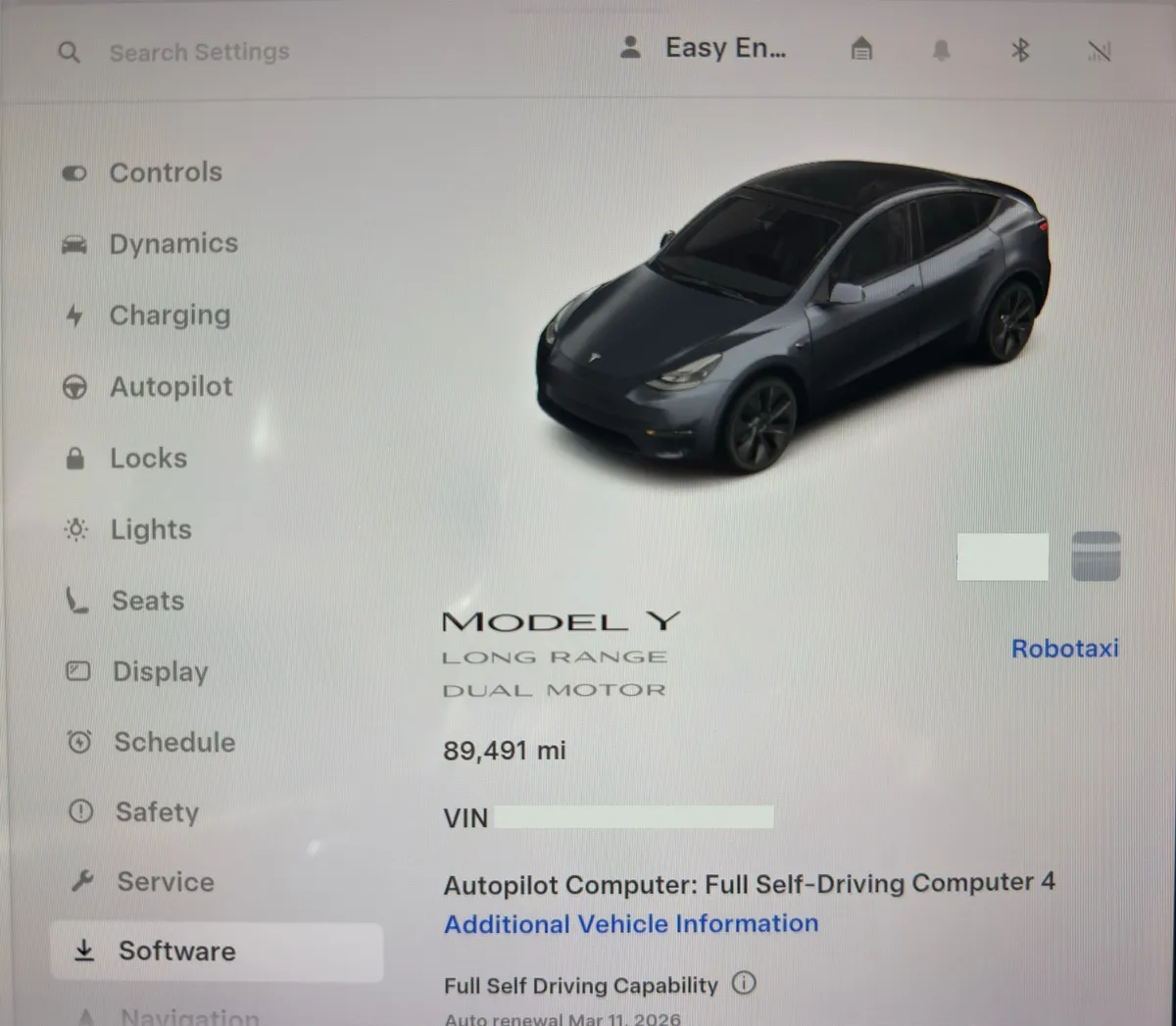
Most reliable: Read the computer label from the specific vehicle. Menu wording can vary by model and software version, so also check Additional Vehicle Information when available.
Additional Vehicle Information
The "Additional Vehicle Information" screen provides detailed hardware specs, including the Autopilot computer version.
How to Access:
- Tap the car icon in the bottom-left corner
- Tap Software
- Tap Additional Vehicle Information
- Look for the Autopilot Computer field
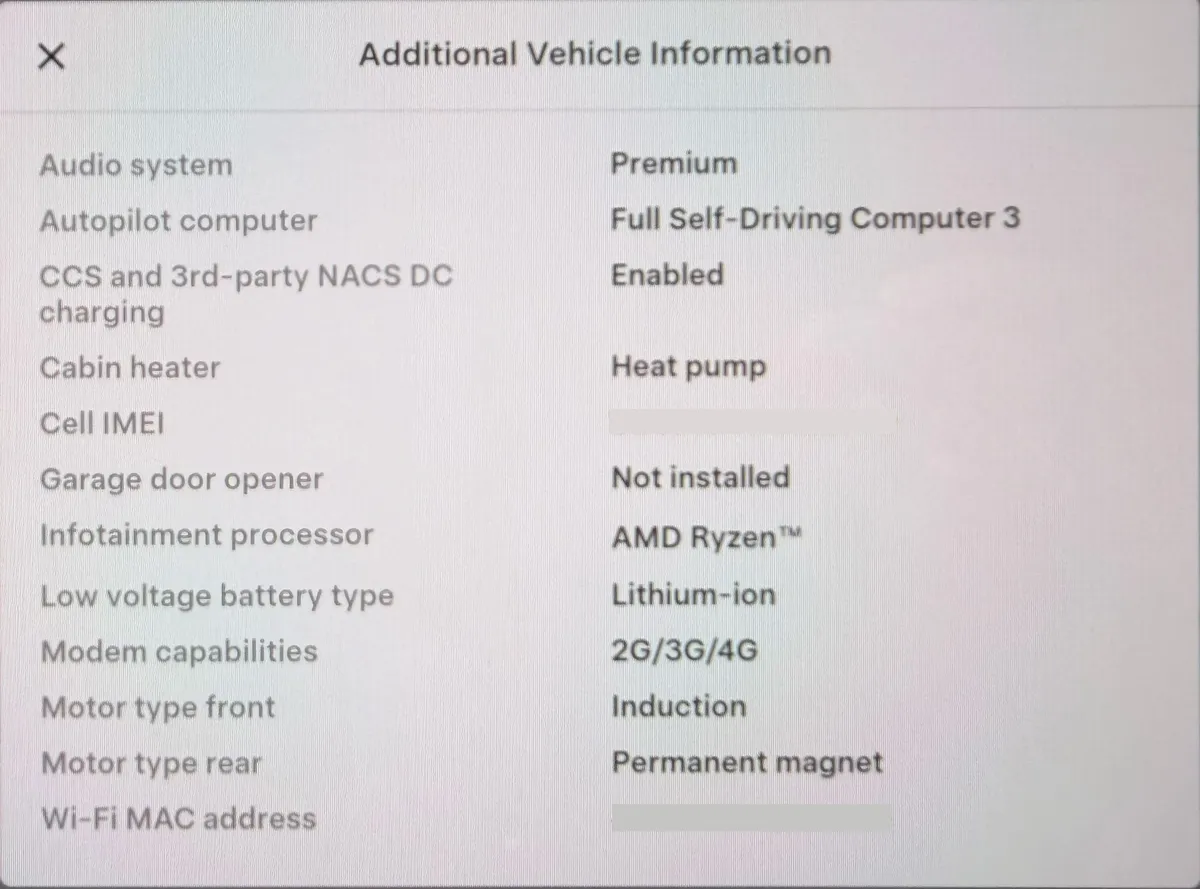
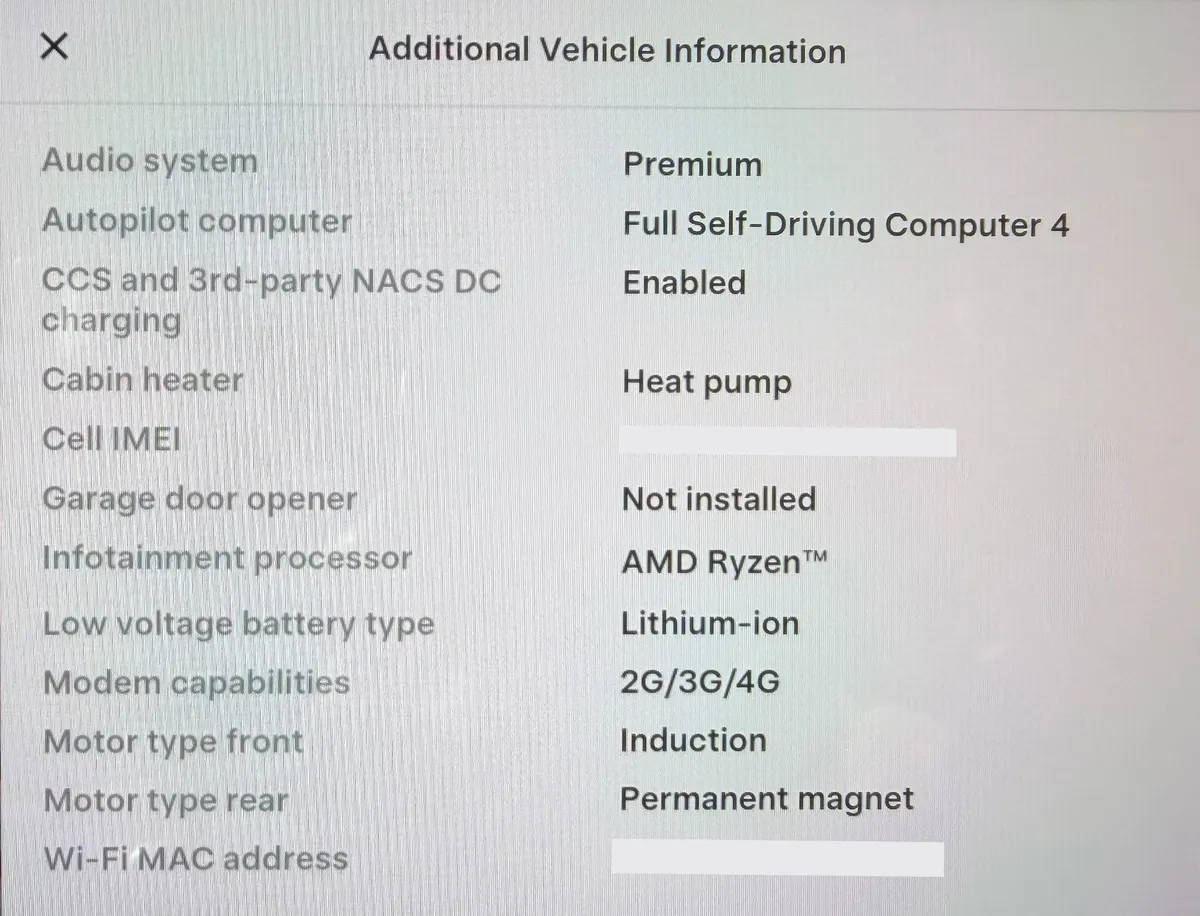
Documentation tip: Photograph the hardware label during a test drive or inspection so you have a record of exactly what that vehicle's screen showed.
Quick Reference
HW3 Indicators
- Software tab shows: "Full Self-Driving Computer"
- Autopilot Computer: Hardware 3
HW4 Indicators
- Software tab shows: "AI4 Computer" or "Hardware 4"
- Autopilot Computer: Hardware 4
Don't have vehicle access yet?
Use our VIN checker or exterior guide to screen a vehicle, then confirm its hardware before purchasing.