How to Spot HW4
From the Outside
No VIN? Use exterior camera details as supporting clues, then confirm the installed computer on the vehicle's software screen.
Front Windshield Cameras
The front-facing camera cluster behind the rearview mirror is the most reliable exterior indicator. Look closely at the number of lenses and their color.
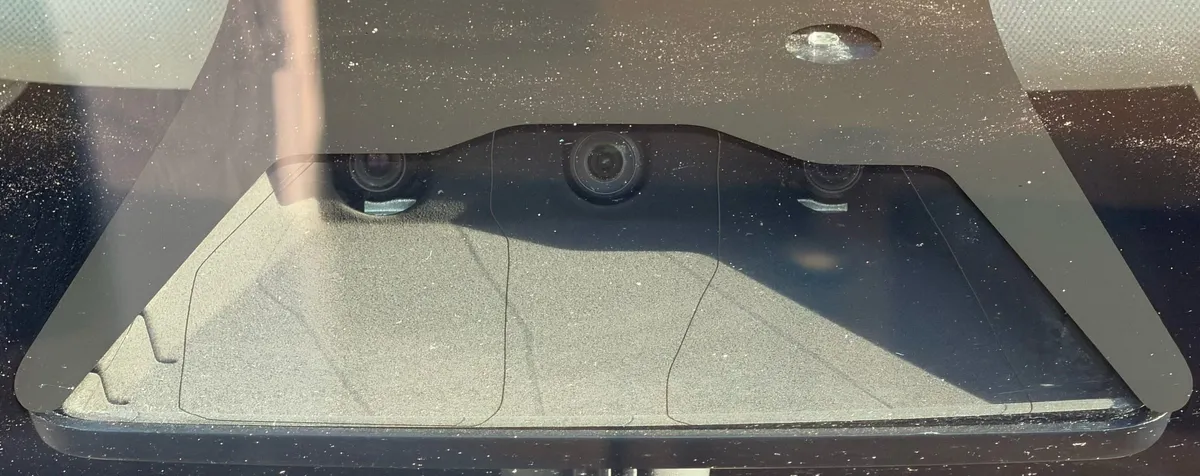
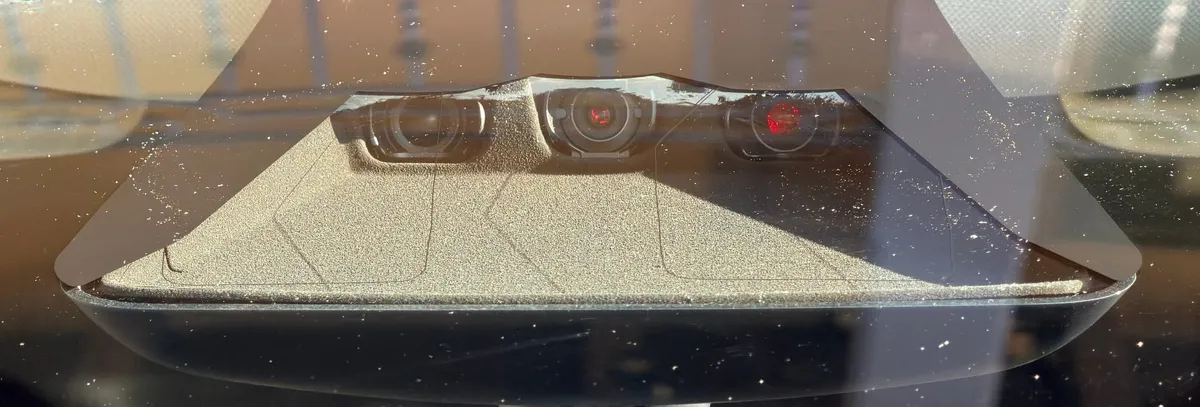
Photo tip: Lighting and image processing can change lens reflections. Use listing photos only to screen candidates, not to make a final hardware determination.
Side Repeater Cameras
The side repeater cameras on the front fenders are the easiest indicator to spot during an in-person inspection. Look at both the camera lens color and the turn signal LED strip.
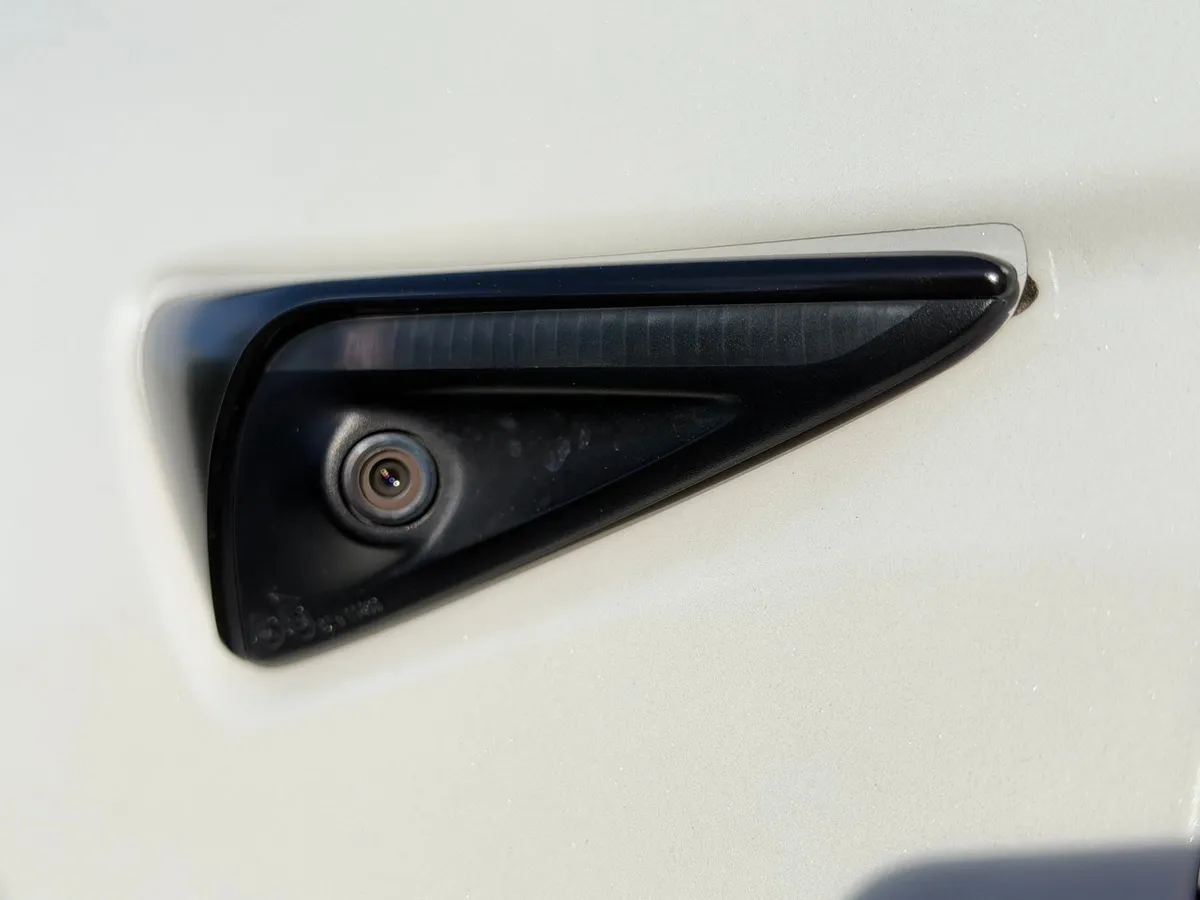
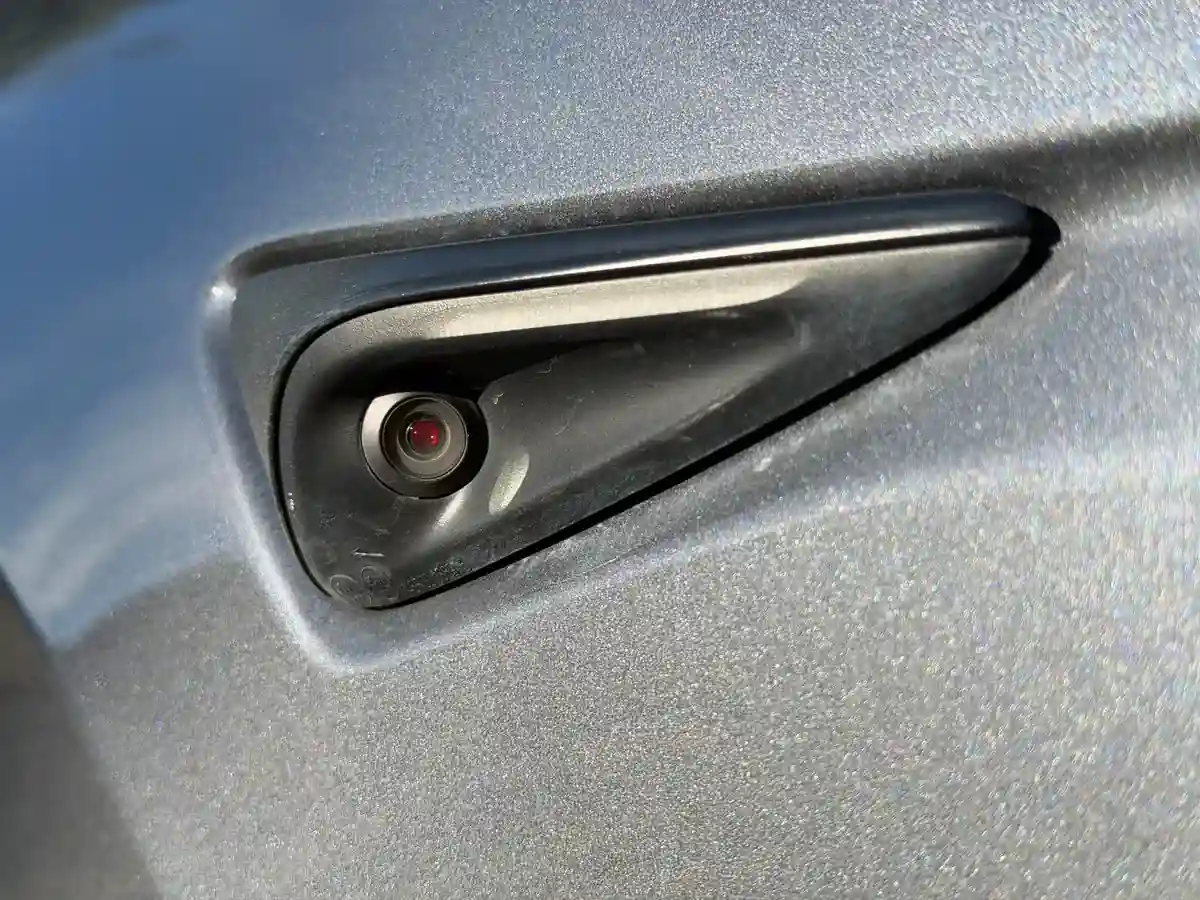
Inspection tip: Compare both repeaters and the front camera cluster. Treat a red reflection as supporting evidence and verify the computer type on the touchscreen.
Quick Reference
| Feature | HW3 | HW4 |
|---|---|---|
| Front camera arrangement | Earlier housing and lens layout | Revised housing and lens layout |
| Front camera lens color | Black / dark | Red tint |
| Side repeater lens color | Black / dark | Red tint |
| Side repeater turn signal | Wider LED strip | Narrower, thinner LED strip |
| Camera generation | Earlier suite | Newer higher-resolution suite |
Other Verification Methods
Check via VIN or from the vehicle's software screen.